What Is a Customer Conversations Platform? A Simple Guide for Small Teams
 Zaid 8 min read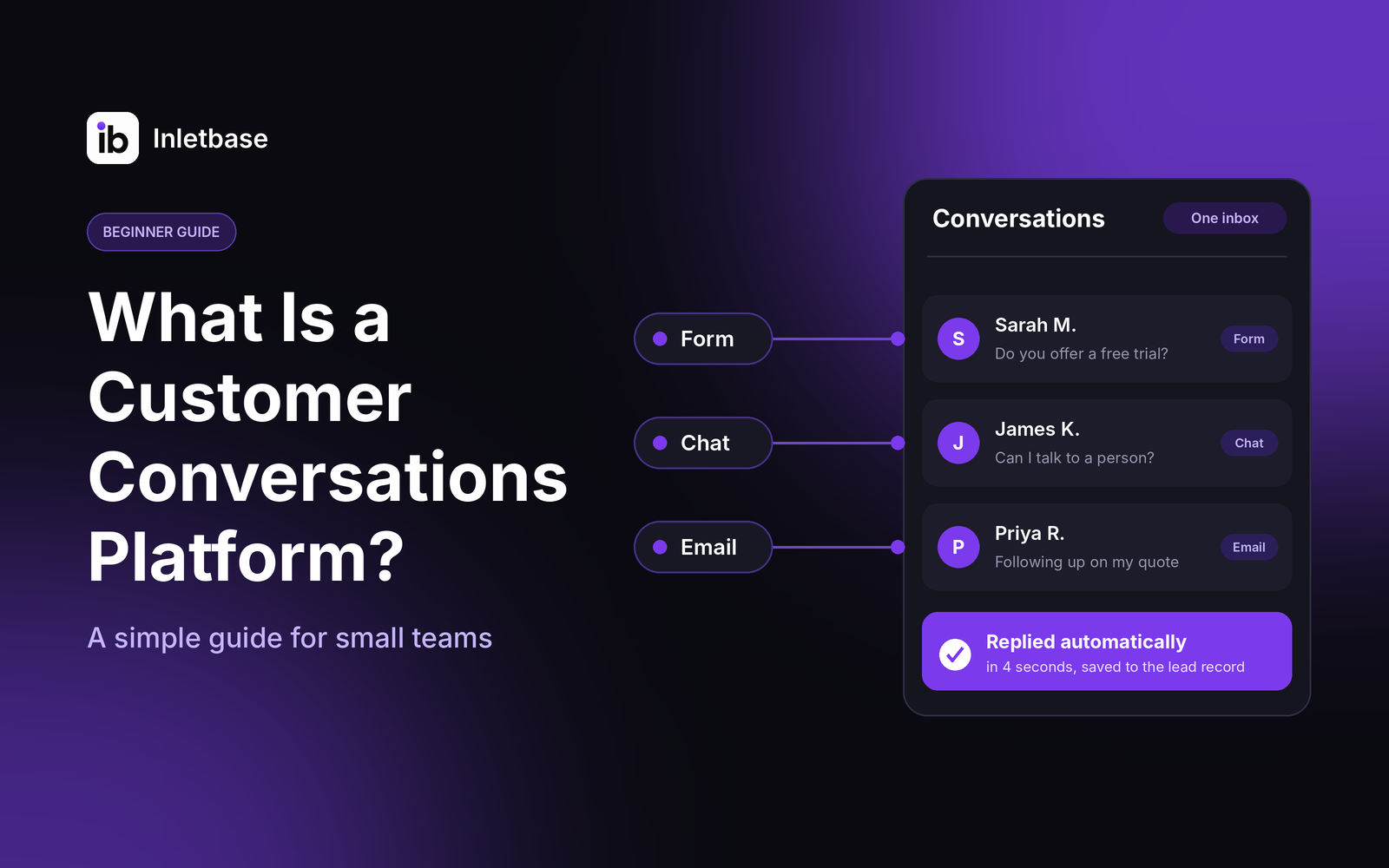
A customer conversations platform is software that gathers every conversation with your customers, from website chat and forms to email and messages, into one place. Your team sees the full history, replies faster, and follows up without losing anything. For a small team, the right one is simple, affordable and connected to your CRM.
Who this guide is for
| Good fit | Not the right guide |
|---|---|
| Small teams whose customers reach them through a website, forms, chat or email | Enterprises with large contact centers and carrier-level messaging needs |
| Owners who keep finding leads or questions in the wrong inbox | Teams that already run one tool for every conversation |
| Anyone comparing a chatbot, shared inbox, help desk and CRM | Developers looking for messaging APIs |
What is a customer conversations platform?
It is a single place where every conversation with a customer lives. Instead of chat in one tool, form messages in another and replies in someone’s email, the conversations are collected together, linked to the person, and visible to your team.
In plain terms, it does three things: it collects conversations from your channels, it remembers who said what, and it helps you respond and follow up from one screen.
You will see several names for the same idea. They overlap, and the table shows what each usually emphasizes.
| Name you may see | What it usually emphasizes |
|---|---|
| Customer conversations platform | All your customer conversations in one place |
| Customer communication platform | Sending and receiving messages across channels (often SMS, WhatsApp and email) |
| Customer messaging platform | A shared inbox and messaging channels |
| Conversational platform | Chatbots and AI that talk to customers |
| Customer communication management | Historically, documents such as statements and notices, now often used for the platforms above |
When you compare tools, ignore the label and ask what the tool actually does with your conversations.
Why do small teams end up with scattered conversations?
Because each channel arrives with its own tool. A form plugin emails you, a chat widget has its own dashboard, and replies happen in your personal inbox. Each tool is fine alone, but together they split one customer across several places.
Here is an illustrative Monday morning. A visitor asked your chatbot about pricing on Friday night, then filled in your contact form on Saturday, and emailed you on Sunday. Three tools hold three pieces of one conversation, and nobody sees all three. That is what a conversations platform is meant to fix.
What does a customer conversations platform actually do?
It does five jobs. Small teams mostly need the first four to work well, and the fifth to be easy to turn on.
| Job | What it means | Small-team example |
|---|---|---|
| Collect | Brings conversations in from your channels | A website chat, a contact form and replies appear in one list |
| Remember | Keeps one history per customer | You see that the same person chatted, then submitted a form |
| Respond | Lets AI and people reply | A chatbot answers common questions and passes the rest to you |
| Route | Sends each conversation to the right person | Pricing questions go to sales, support questions to whoever is on call |
| Connect | Sends leads and details to your other tools | A new lead appears in your CRM without retyping |
How is it different from a CRM, a help desk, a shared inbox and a chatbot?
Each of these does part of the job. A conversations platform brings the parts together.
| Tool | What it is mainly for | Where it falls short alone |
|---|---|---|
| CRM | Storing contacts, deals and relationships | It records customers, but doesn’t usually run the conversations |
| Help desk | Managing support tickets and resolution | Built around tickets, which can feel heavy for casual chat or sales questions |
| Shared inbox | Letting a team share one email address | Covers email well, but not chat or forms |
| Chatbot | Answering questions automatically | Answers, but doesn’t keep the wider history unless connected |
| Conversations platform | Collecting and managing conversations together | Works best when connected to your CRM |
In practice, a small team often uses a conversations platform alongside a CRM. The platform handles the talking, and the CRM keeps the long-term record.
Do you need one?
You probably do if you answer yes to two or more of these:
- Customers reach you in more than one place (chat, forms, email, social).
- You have missed or found a message late in the last month.
- Someone retypes details from one tool into another.
- You can’t say where your leads come from.
- Replies slow down after hours or when one person is away.
- Nobody clearly owns a conversation once it starts.
If you answered yes to none, a single inbox and a simple form may be enough for now.
What features matter for a small team?
Focus on features that save you time every week, and ignore the ones built for large operations.
| Priority | Features |
|---|---|
| Must-have | One list of all conversations, a history per customer, human handoff from AI to a person, notifications for new messages, a connection to your CRM |
| Nice to have | Automatic replies, routing rules and conditions, tags, a simple way to search and filter, basic reports |
| Probably skip for now | Carrier-level message routing, many-channel campaign tools, complex journey builders, enterprise service-level controls |
Large guides on this topic spend most of their space on that last row. A team of five rarely needs it, and paying for it adds cost and setup.
Which type of platform fits your team?
Pick the type that matches where your customers actually reach you.
| If most conversations come from… | Look at | Examples of the category |
|---|---|---|
| Your website (chat and forms) | A website-first conversations platform | Inletbase |
| A shared inbox | Help Scout, Hiver | |
| Support requests | A help desk | Zendesk, Freshdesk |
| WhatsApp, SMS and social | A messaging inbox | Respond.io |
| Many channels, large team | An enterprise suite | Intercom, Zendesk, Front |
How do you choose in five steps?
- Map where customers reach you. List every channel and form on your site, plus email.
- Pick the channels that matter most. Start with the one or two that bring in the most conversations.
- Decide what AI can handle. Repeat questions suit AI. Sensitive or complex ones should reach a person.
- Check the connections. Confirm it works with your CRM and the tools you already use.
- Test with real messages. Send questions in your customers’ words, from a phone, and see what arrives where.
Where does Inletbase fit in?
Inletbase is a customer conversations platform for website conversations. It collects the two things most small sites receive: chat and form messages.
- Chat: an AI chatbot trained on your own files, website pages, text snippets and question-and-answer pairs, added to your site with one embed script. Human handoff is included, so a visitor whose question needs a person can be passed to your team.
- Forms: a form backend that receives submissions from forms on any site, with AI replies you can send automatically.
- One place to see it all: chatbot conversations and form submissions sit together in one dashboard.
- Connections: a native HubSpot sync, webhooks to any app, and workflows with conditions, so only the leads you choose reach your CRM.
You can start on the free plan, which includes a form and one AI chatbot, and see the pricing page for current limits. Integrations are available on the Pro plan and above.
Pick it if most of your customer conversations start on your website and you want chat, forms and CRM connections in one place. To go deeper, read AI chatbot for website: what it is and how it works, what is a form backend and how to automatically add new leads to your CRM from a form.
What is a simple setup path for a small team?
You can have the basics running in an afternoon.
- Choose one channel to start, usually your website.
- Add your form or chatbot to the site.
- Give the chatbot your content: pages, files and the answers you want it to give.
- Decide who receives handoffs and notifications, so a person always picks up what AI can’t.
- Connect your CRM, so new leads are saved without retyping. See how to turn chatbot conversations into CRM leads.
- Test with real questions, then read the first week of conversations and fix the gaps.
Which metrics should a small team watch?
Watch five simple numbers, and ignore anything you can’t act on.
| Metric | What it tells you |
|---|---|
| First reply time | How fast a visitor hears back, including after hours |
| Conversations that became leads | Whether your chat and forms actually bring in business |
| Share answered without a person | How much repeat work AI is saving you |
| Handoffs that were picked up | Whether a human really follows through |
| Unanswered or missed conversations | Where conversations are still falling through |
For the speed side, see how small businesses can reply to leads instantly.
What mistakes should you avoid?
- Buying for enterprise features you will never use.
- Adding a tool without connecting it to your CRM, which just creates another silo.
- Letting AI answer everything with no route to a person.
- Never reading real conversations, so gaps in your content stay open.
- Collecting every channel at once. Start with one, get it working, then add another.
Try this today: map your conversations
Take ten minutes and write down every place a customer can talk to you: chat, each form, your email address, social messages. Next to each, note who sees it and where it ends up. Circle every place where a conversation could be missed. That list is your shopping list, and it often shows you only need one or two fixes.
Conclusion
A customer conversations platform puts every conversation with a customer in one place, so your team can see the history, reply faster and follow up without losing anything. For a small team, start with the channel that brings the most conversations, keep a person behind every AI reply, connect your CRM, and ignore features built for large contact centers.
Next step: try Inletbase free and add a chatbot and form to your site, or see the getting started docs.
Frequently asked questions
What is a customer conversations platform?
A customer conversations platform is software that gathers every conversation with your customers, such as website chat, forms, email and messages, into one place. It keeps the history for each person, helps AI and people reply, and passes details to your CRM so nothing gets lost.
What is the difference between a customer conversations platform and a CRM?
A CRM stores your contacts, deals and relationships. A customer conversations platform manages the conversations themselves, such as chat and form messages, and keeps their history. Small teams often use both, with the platform handling the talking and the CRM keeping the long-term record.
Is a customer conversations platform the same as a customer communication platform?
The terms overlap and are often used interchangeably. A communication platform often emphasizes sending messages across channels such as SMS and email, while a conversations platform emphasizes managing two-way conversations in one place. Compare what each tool does with your conversations rather than relying on the label.
Do small teams need a customer conversations platform?
Not always. If customers reach you through one inbox and conversations rarely get lost, you may not. If they contact you through chat, forms and email, or you have missed messages and retyped lead details, a platform can save time and stop leads slipping through.
What features should a small team look for?
Look for one list of all conversations, a history for each customer, human handoff from AI to a person, notifications, and a connection to your CRM. Automatic replies, routing rules and basic reports are useful extras. Skip enterprise features such as carrier routing and complex journey builders.
Can an AI chatbot be part of a customer conversations platform?
Yes. An AI chatbot is often the first responder, answering common questions from your own content at any hour. It works best as part of a platform with human handoff, so people can take over when a question needs them, and with every conversation saved in one place.
How much does a customer conversations platform cost?
It varies. Pricing often depends on the number of team members, the volume of conversations and whether AI replies are charged separately. Some tools have free plans. Ask for a quote based on your own volume, and check whether you pay per seat or per resolution.
How do I get started with a customer conversations platform?
Start with one channel, usually your website. Add a form or chatbot, give the chatbot your content, decide who receives handoffs, connect your CRM, and test with real questions. Then read the first week of conversations and fix any gaps before adding another channel.
Related articles
How Do I Automatically Add New Leads to My CRM When Someone Fills Out a Form?
To add new leads to your CRM automatically, connect your form to the CRM so each submission creates a contact the moment it is sent. Use your form tool’s built-in CRM integration if it has one, a webhook if it doesn’t, or a connector tool like Zapier as a last resort. Map the fields, match […]
ZaidOct 24, 2026
AI Chatbot vs Rule-Based Chatbot: Which Is Best for Your Website?
A rule-based chatbot follows a fixed script of buttons and keywords, while an AI chatbot understands questions typed in a visitor’s own words and answers from your content. For most websites, an AI chatbot trained on your own content is the better choice. A rule-based bot wins only when every question is predictable and every […]
ZaidOct 21, 2026
How to Build a Contact Form for a Next.js Website Without a Backend
You can build a Next.js contact form without writing a backend by sending the form to a hosted form endpoint. Use a Server Action to forward the data and keep your API key private, or post straight from a client component. The endpoint stores the submission and can notify you, so you need no API […]
ZaidOct 16, 2026Latest articles
10 Best Customer Support Plugins for Framer in 2026
The best customer support plugin for Framer depends on what you need. Inletbase suits sites that want forms plus an AI chatbot with human handoff, Helploom suits live chat with a help center, BubblaV suits AI support with human handoff, and Human Reply or the Telegram Chat Button suit simple, human-only replies. All 10 are […]
ZaidOct 12, 2026
How to Turn Chatbot Conversations Into CRM Leads (Without Zapier)
To turn chatbot conversations into CRM leads without Zapier, have the chatbot send the lead directly to your CRM once a visitor shares their contact details. Use a native CRM sync, a webhook to your CRM’s own endpoint, the CRM’s API, or a chat tool built into the CRM. Send only qualified chats, match on […]
ZaidOct 10, 2026