How Small Businesses Can Reply to Leads Instantly Without Hiring More Staff
 Zaid 6 min read
At Inletbase, we build the tools that small businesses use to catch and reply to leads. We watch this happen in real accounts every day, so this is written from what we actually see, not a guess. We update this page as tools and habits change.
It was 9:47 PM. Someone visits your website, fills out your contact form, and asks about your price. Then they close the tab and move on to the next business.
By the time you check that form the next morning, they’ve already booked with someone else.
This happens to small businesses every day, in every city, from New York to London to Dubai. It is not because the owner does not care. It’s not because the service is bad. It happens because the fastest reply usually wins, and most small teams can’t watch their inbox all day and all night.
The good news: you don’t need to hire someone for the night shift to fix this. You just need the right setup. Here’s how it works.

Why a Slow Reply Costs You So Much
This is a bigger problem than most owners think. And it is one of the easiest to fix.
A well-known study looked at this. It found that most businesses take about 42 hours to reply to a new lead. That is almost two full days. The best businesses reply in about 9 minutes.
That gap makes a huge difference:
- If you reply within 5 minutes, about 21 out of 100 leads become real customers. If you wait a full day, only about 2 or 3 out of 100 do.
- Most people buy from whichever business talks to them first. Not the cheapest one. Not the one with the best reviews. The fastest one.
- Almost 1 out of every 4 businesses never reply to a lead at all.
Think about that last point. A person fills out your form, and nothing ever comes back. No email. No call. Nothing. If you’re paying for ads on Google or Facebook, that lead already cost you money, and now it’s gone for nothing.
This is not about anyone being lazy. It is simple math. Nobody can sit by their phone at midnight, during lunch, on weekends, and while helping a customer in the shop, all at the same time. A person can only answer one lead at a time.
A computer can answer many leads at the exact same moment.
What “Instant Reply” Really Means
When people hear “AI reply,” they think of a basic bot that just says “thanks, we got your message!” That is not what a good setup does anymore.
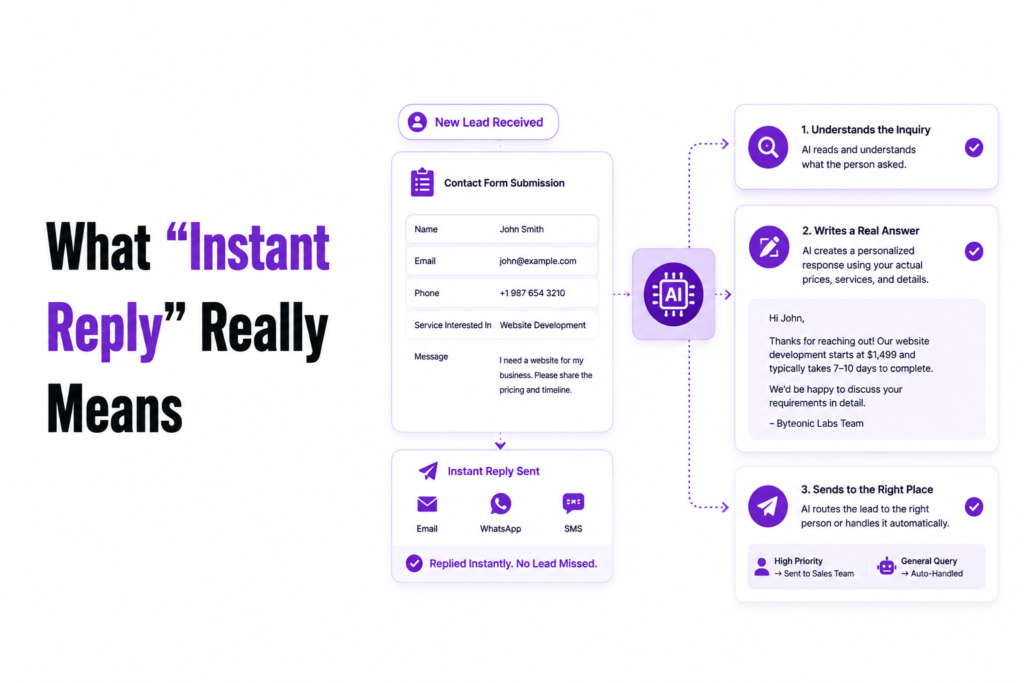
A proper instant-reply system does three things, right when someone submits your form:
- It reads what the person asked.
- It writes a real answer, using your actual prices and services, not a copy-paste line.
- It sends the lead to the right place, a person if it is important, or handles it on its own if it’s a simple question.
That’s the real difference. It does not just say “we will get back to you.” It actually answers, the way a trained staff member would, the moment the form is sent. Day or night, it does not matter.
How It Works, In Plain Words
You do not need to be a tech person to use these tools. But it helps to know what is happening behind the scenes so you can pick the right one.
1. Someone fills out your form. This is a form on your website, name, email, and a message.
2. That message gets sent to an AI tool. Think of this like passing a note to a very fast, well-trained assistant. This assistant has already read your pricing page, your FAQ, or any document you gave it, so it already knows your business.
3. The AI writes a reply using only your own information. This part matters a lot. A good tool won’t let the AI make things up. If someone asks “do you deliver to Sharjah?” it should answer using your real delivery info, not guess.
4. The reply goes out on its own, right away. No one has to press send. The person gets an answer in seconds, not hours.
5. The lead’s details get saved automatically. This is the step many small businesses skip. Without it, you get fast replies but no record of who asked what. With it, every person who reaches out becomes a saved contact you can follow up with later.
That whole chain, form, AI reply, saved contact, is what more and more local shops, clinics, agencies, and online stores across the US, UK, and Middle East are now using.
How Inletbase Handles This
You do not have to build any of this yourself. Inletbase is built for exactly this problem. It connects your website form, whether that is WordPress, Webflow, or anything else, to one place. It replies to leads using your own prices and service info, and it saves every lead as a contact automatically, with no extra tools needed in between. You can start using it for free.
How to Set This Up Without Any Tech Help
This is the part that surprises most small business owners. You don’t need a developer for any of this.
Step 1: Make sure your contact form is working. This is where most leads come in. Check that it was live on your site and easy to find.
Step 2: Connect it to your existing form. Most tools give you a short piece of code or a plugin (WordPress usually just needs a plugin install) that hooks into your form without changing it.
Step 3: Give it your business info. Upload your price list or paste your website link so the tool can learn your business. This takes minutes, not hours.
Step 4: Decide what needs a real person. For example, a big order or an upset customer should go straight to a human. Simple questions like hours or pricing can be handled fully by the AI.
Step 5: Turn on contact saving. Make sure every lead gets saved somewhere so you can follow up later, even after the AI already answered their first question.
That’s it. Most small businesses have this running in under an hour.
Mistakes to Avoid
- Letting the AI guess. Only let it answer using your real business info, never let it make things up about prices or rules.
- Skipping the contact saving step. Fast replies without saving the lead still means you lose people later.
- Forgetting time zones. If your customers are in the US, UK, and Middle East, make sure replies go out on a schedule that covers all of them, not just your own working hours.
- Automating everything. A big, important lead (like a large order) should still get a quick personal reply, not just an automatic one.
The Bottom Line
You do not need to hire someone to watch your inbox all day. But you also cann ot afford to lose leads because nobody replied in time.
The answer is not more staff. It is a system that replies the moment someone reaches out, using your own business info, and only hands off the leads that truly need a person. Set it up once, and it keeps working while you sleep.
Frequently asked questions
How quickly should a small business reply to a new lead?
The sooner, the better. Replying within the first few minutes gives you a much better chance of turning a lead into a customer. Even if you can’t respond personally, an instant AI-powered reply can acknowledge the inquiry, answer common questions, and keep the conversation moving until a team member follows up.
Can AI reply to website leads automatically?
Yes. Modern AI tools can read information submitted through your website form, generate a relevant reply based on your business information, and send it automatically within seconds. They can also save the lead’s details so your team can follow up later if needed.
Do I need a developer to set up automatic lead replies?
Not usually. Most lead management platforms integrate with popular website builders and form plugins, allowing you to connect your forms and configure automated replies without writing code.
Can I use Inletbase with my existing website forms?
Yes. Inletbase is designed to work with existing website forms, making it easier to capture leads, send instant AI-powered replies, and manage contacts from one place without rebuilding your website.
Related articles
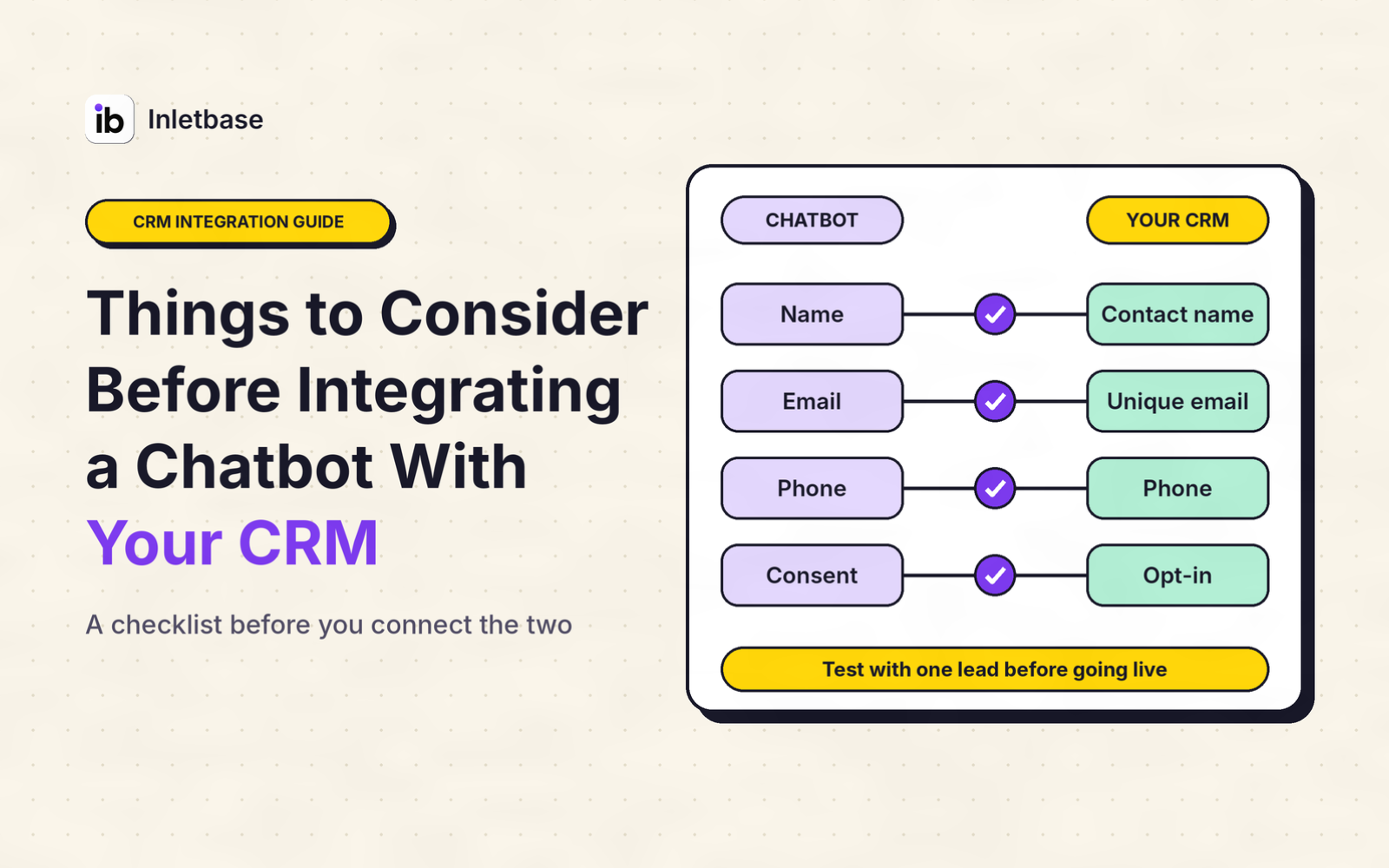
Things to Consider Before Integrating a Chatbot With Your CRM
Before you integrate a chatbot with your CRM, decide what job it must do, clean your CRM data, choose whether data flows one way or both, pick the connection route, limit what the chatbot can see and change, handle privacy and consent, set rules for leads and duplicates, design the handoff to a person, test […]
ZaidOct 29, 2026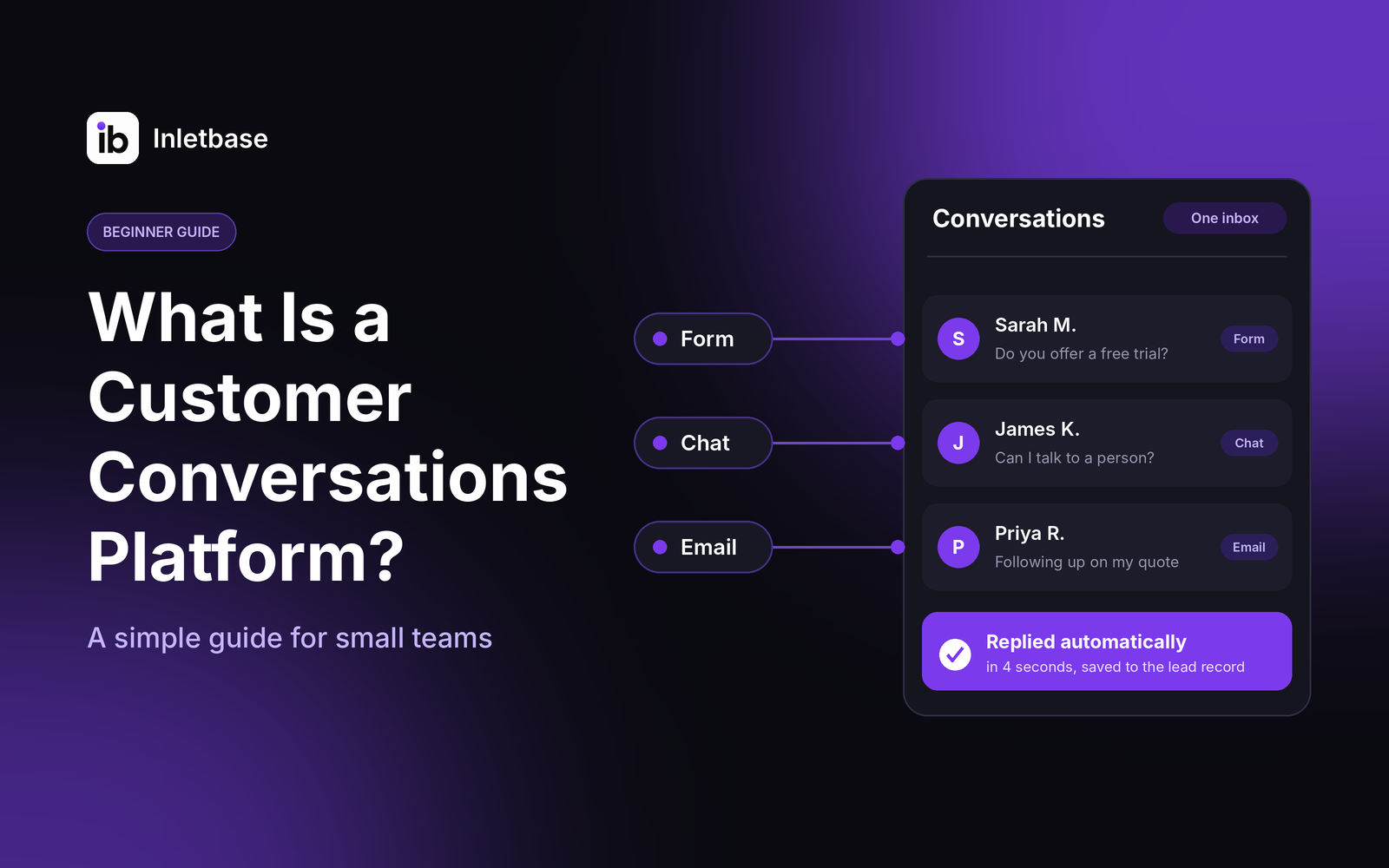
What Is a Customer Conversations Platform? A Simple Guide for Small Teams
A customer conversations platform is software that gathers every conversation with your customers, from website chat and forms to email and messages, into one place. Your team sees the full history, replies faster, and follows up without losing anything. For a small team, the right one is simple, affordable and connected to your CRM. Who […]
ZaidOct 28, 2026
How Do I Automatically Add New Leads to My CRM When Someone Fills Out a Form?
To add new leads to your CRM automatically, connect your form to the CRM so each submission creates a contact the moment it is sent. Use your form tool’s built-in CRM integration if it has one, a webhook if it doesn’t, or a connector tool like Zapier as a last resort. Map the fields, match […]
ZaidOct 24, 2026Latest articles
AI Chatbot vs Rule-Based Chatbot: Which Is Best for Your Website?
A rule-based chatbot follows a fixed script of buttons and keywords, while an AI chatbot understands questions typed in a visitor’s own words and answers from your content. For most websites, an AI chatbot trained on your own content is the better choice. A rule-based bot wins only when every question is predictable and every […]
ZaidOct 21, 2026
How to Build a Contact Form for a Next.js Website Without a Backend
You can build a Next.js contact form without writing a backend by sending the form to a hosted form endpoint. Use a Server Action to forward the data and keep your API key private, or post straight from a client component. The endpoint stores the submission and can notify you, so you need no API […]
ZaidOct 16, 2026
10 Best Customer Support Plugins for Framer in 2026
The best customer support plugin for Framer depends on what you need. Inletbase suits sites that want forms plus an AI chatbot with human handoff, Helploom suits live chat with a help center, BubblaV suits AI support with human handoff, and Human Reply or the Telegram Chat Button suit simple, human-only replies. All 10 are […]
ZaidOct 12, 2026